
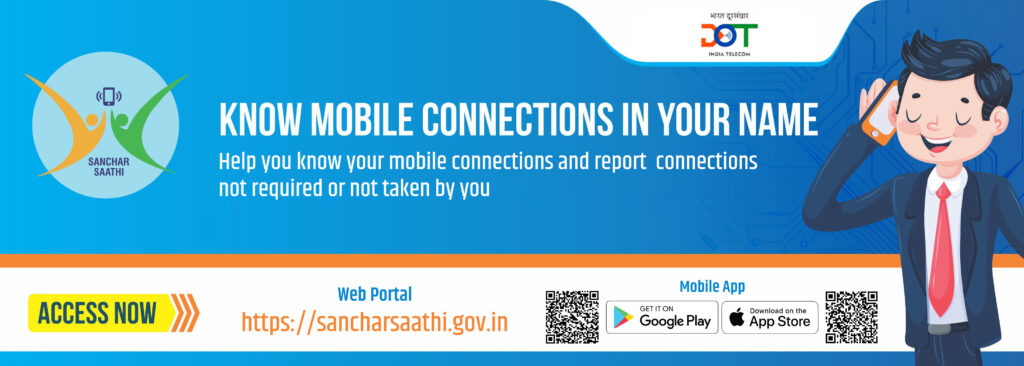

Introduction: Why the Sanchar Saathi App Matters
In today’s digital era, government apps are increasingly being launched to make citizens’ lives simpler, more secure, and more connected. One of the most recent initiatives is the Sanchar Saathi app rollout, which aims to enhance mobile security and provide real-time information to telecom users. But with every new app launch comes a mix of excitement, skepticism, and critical questions.
From pre installation mandate debates to privacy concerns, cybersecurity issues, and public backlash, the rollout of the Sanchar Saathi app has stirred conversations across the country. This article will break down the app’s features, explore its security and privacy implications, and provide practical tips for users to navigate this digital tool safely and efficiently.
Understanding the Pre Installation Mandate and Its Impact
One of the most discussed aspects of the Sanchar Saathi app is its pre installation mandate. A pre installation mandate means that certain apps are required to come pre-installed on mobile devices sold in the country. While this can improve accessibility, it raises some key questions for users:
- Do users have the choice to uninstall the app?
- How does this affect device storage and performance?
- Are there hidden permissions that could compromise privacy?
Example: Recently, several government-backed apps with pre installation mandates faced criticism for consuming device memory and asking for permissions that many users found intrusive. The Sanchar Saathi app, however, claims to be optional and deletable, meaning users can remove it if they choose, addressing one major concern raised during its rollout.
Practical Tip: Always check the permissions requested by any pre-installed app. Navigate to your device settings → Apps → Sanchar Saathi → Permissions, and limit access to only what’s necessary.
For more details about pre-installed app policies, you can visit the Telecom Regulatory Authority of India (TRAI) website.
Privacy Concerns: What Users Need to Know
A major topic of debate around the Sanchar Saathi app rollout is privacy concerns. Many users worry that apps installed or recommended by the government might collect sensitive information like call logs, messages, or location data. While the app claims to be secure, users still want reassurance about how their data is handled.
Key Points on Privacy:
- Data Collection Transparency: Sanchar Saathi app provides a privacy policy outlining what data is collected and for what purpose. Users should read this carefully to ensure they are comfortable.
- Optional Use: The app’s design ensures it is optional and deletable, giving users the freedom to opt-out if they prefer.
- Data Storage & Retention: Knowing where your data is stored—whether on local devices or government servers—is crucial.
Example: Countries like South Korea and Singapore have launched mobile security apps with optional installations and clear privacy guidelines, helping users feel secure while benefiting from the service.
Practical Tip: Regularly update the app to benefit from new privacy features, and avoid granting unnecessary permissions. For more insights on mobile app privacy, check out Privacy International.
Cybersecurity and Fraud Prevention Features
The Sanchar Saathi app is designed to enhance cybersecurity and fraud prevention for mobile users. With the rise of telecom fraud, identity theft, and phishing scams, having a tool that monitors SIM usage and alerts users about suspicious activity can be a game-changer.
Core Features for Security:
- Real-time alerts for SIM card changes
- Notifications for suspicious calls or messages
- Guidance on reporting telecom fraud to authorities
Example: If your SIM card is used in another device, the app immediately notifies you, preventing potential unauthorized transactions or identity theft. This proactive approach makes it more than just a utility—it’s a cybersecurity companion.
Practical Tip: Pair the Sanchar Saathi app with other mobile security practices:
- Avoid sharing OTPs with anyone
- Enable two-factor authentication on sensitive accounts
- Regularly review call and message logs for unknown activity
For more tips on mobile cybersecurity, visit National Cyber Security Centre.
Backlash and Rollback: Lessons from User Feedback
Even with strong features, the Sanchar Saathi app rollout has faced backlash and rollback discussions. Critics argue that mandatory pre-installed apps, even if optional, can create confusion for non-tech-savvy users. Others worry about device performance, data usage, or the perception of government surveillance.
Case Study: Similar rollouts in the past, such as digital ID apps in other countries, initially faced significant backlash. Governments responded by making apps optional and deletable, improving transparency, and conducting awareness campaigns.
Practical Tip: If you encounter issues with the Sanchar Saathi app or want to remove it, you can safely uninstall it without affecting core mobile functionality. For guidance, check your device’s app management settings or official Sanchar Saathi FAQ.
Tips for Safe and Effective Use
- Install only from official sources: Always use the Google Play Store or Apple App Store to avoid malware.
- Regularly update the app: Updates often fix bugs and enhance cybersecurity features.
- Limit permissions: Only allow access to necessary functions, such as SMS alerts or SIM info.
- Monitor your device usage: Regularly check for suspicious activity, unusual notifications, or performance issues.
- Educate others: Help family or friends understand the app’s benefits and safe usage.
By following these tips, users can maximize the utility of the Sanchar Saathi app while maintaining full control over their privacy and security.
Conclusion: Embracing Digital Security with Awareness
The Sanchar Saathi app rollout represents a significant step toward improving telecom security and user convenience in India. While discussions around pre installation mandate, privacy concerns, optional and deletable features, cybersecurity and fraud prevention, backlash and rollback remain central, informed users can leverage this tool safely and effectively.
By understanding the app’s purpose, monitoring permissions, and staying updated on features, you can ensure that your digital experience remains secure without compromising privacy. The rollout may have sparked debate, but it also highlights the growing need for accessible and reliable mobile security tools.
In the end, the Sanchar Saathi app is more than just a government initiative—it’s a step toward empowering users in the digital age.
🔥 Cybersecurity in 2025: The Silent War We’re All Losing — And How to Fight Back