

Introduction
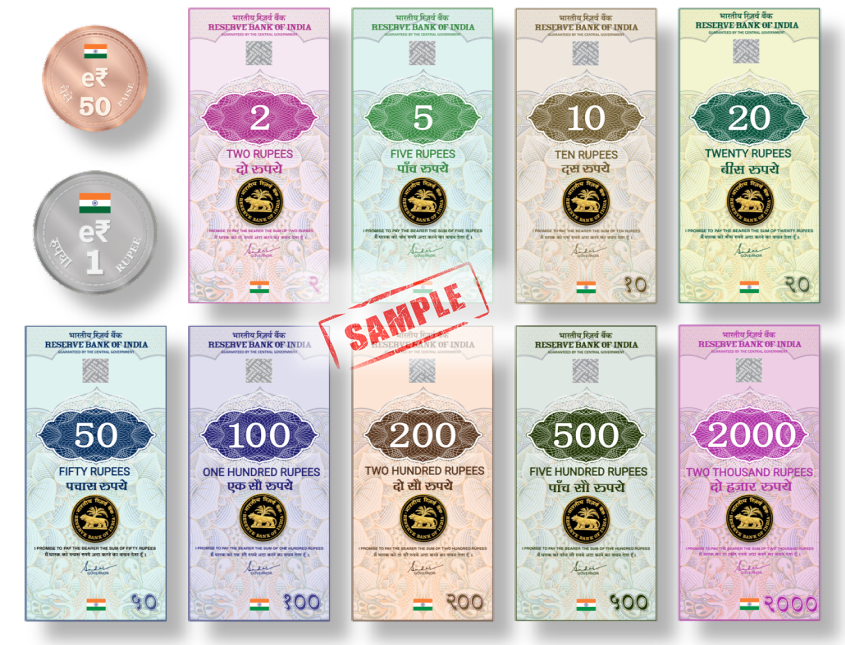
The e-Rupee, or Digital Rupee, is India’s official Central Bank Digital Currency (CBDC) launched by the Reserve Bank of India (RBI). It functions just like cash but in digital form, enabling secure, instant, and paperless transactions. If you’re wondering how to use e-Rupee for payments, transfers, or daily expenses, this guide will walk you through every step — from downloading the wallet to making your first digital rupee transaction.
🔹 Step 1: Download the e-Rupee Wallet
To use e-Rupee, you’ll need a digital wallet provided by a bank authorized by the RBI.
Participating Banks (as of current pilot phase):
- State Bank of India (SBI)
- ICICI Bank
- Yes Bank
- IDFC First Bank
- HDFC Bank
- Union Bank of India
- Kotak Mahindra Bank
- Bank of Baroda
You can download the e-Rupee app (CBDC app) from your bank’s official website or mobile banking section.
🔹 Step 2: Register and Set Up Your Account
Once you download the app:
- Verify your mobile number linked to your bank account.
- Complete KYC verification (if required).
- Create your PIN or biometric authentication for secure access.
After setup, your digital rupee wallet will show a balance of ₹0 — just like a new bank account or UPI wallet.
🔹 Step 3: Add e-Rupees to Your Wallet
You can load your wallet by converting money from your regular bank account into e-Rupees.
For example:
- Open the app → Click on “Add Money” → Choose the amount → Confirm.
- The amount will be deducted from your bank account and added as e₹ (digital rupees) in your wallet.
💡 Note: 1 e₹ = ₹1. The e-Rupee holds the same value as physical cash or money in your account.
🔹 Step 4: Make Payments Using e-Rupee
You can use e-Rupee to make peer-to-peer (P2P) or peer-to-merchant (P2M) payments.
✅ For Person-to-Person Transfers:
- Open your e-Rupee wallet.
- Select “Send Money”.
- Enter the receiver’s mobile number or scan their QR code.
- Enter the amount and confirm.
The e-Rupee instantly transfers from your wallet to the recipient’s wallet — no intermediaries or UPI network needed.
🛍️ For Merchant Payments:
- Visit any store accepting e-Rupee.
- Scan the CBDC QR code displayed at the counter.
- Confirm the amount and tap “Pay.”
The transaction completes instantly — just like using UPI or cash, but fully digital.
🔹 Step 5: Check Transaction History
You can view all your payments, receipts, and wallet balance directly from the “Transaction History” section in the app. Since every transaction is recorded securely, the e-Rupee offers greater transparency and accuracy in tracking expenses.
🔹 Step 6: Offline Transactions (Optional Feature)
One of the unique features of the e-Rupee is offline capability. In areas with low or no internet connectivity, users can still exchange digital rupees via Bluetooth or NFC (Near Field Communication) technology.
This ensures financial inclusion even in rural or remote locations.
🔹 Benefits of Using e-Rupee
✅ Instant and Secure Payments – No waiting, no intermediaries.
✅ No Internet Needed – Offline payment options available.
✅ Eco-Friendly – Reduces paper currency usage.
✅ No Bank Dependency – Transactions can occur directly between users.
✅ Government-Backed – 100% regulated by the Reserve Bank of India.
🔹 Difference Between e-Rupee and UPI
| Feature | e-Rupee | UPI |
| Backed By | Reserve Bank of India | Linked Bank Accounts |
| Works Offline | Yes | No |
| Legal Tender | Yes | No (Payment Interface) |
| Intermediary | Not required | Required (Bank or App) |
While UPI moves money between accounts, the e-Rupee represents the money itself — it’s digital cash that you own directly.
Conclusion
Using the e-Rupee is simple, secure, and fast. From paying a friend to buying groceries, it offers the convenience of digital payments with the trust of the Indian rupee. As the RBI expands the e-Rupee network, it will soon be integrated into everyday transactions — empowering India to become a global leader in digital currency innovation.
💸 How to Use e-Rupee: A Complete Guide to India’s Digital Currency


Pingback: 💰 The Future of the e-Rupee in India: A New Era of Digital Finance
Pingback: 💬 Top 50 Frequently Asked Questions (FAQs) About e-Rupee (Digital Rupee)