
In the rapidly evolving landscape of digital workspaces, staying ahead of the curve isn’t just an advantage—it’s a necessity. As we move into 2026, Microsoft has unveiled a transformative roadmap for Microsoft 365, blending cutting-edge artificial intelligence with ironclad security frameworks.
Whether you are a small business owner or an enterprise IT leader, these updates will fundamentally change how your team collaborates, secures data, and manages budgets. At ITinsite.in, we’ve broken down the five most critical shifts you need to know to stay competitive and secure this year.
Expanded AI Copilot Capabilities: Productivity Redefined
Microsoft Copilot has officially moved from a “premium add-on” to the beating heart of the Microsoft 365 ecosystem. In 2026, the integration has reached a level of depth that makes AI an invisible yet omnipresent assistant across all core applications.
Deep Integration Across the Suite
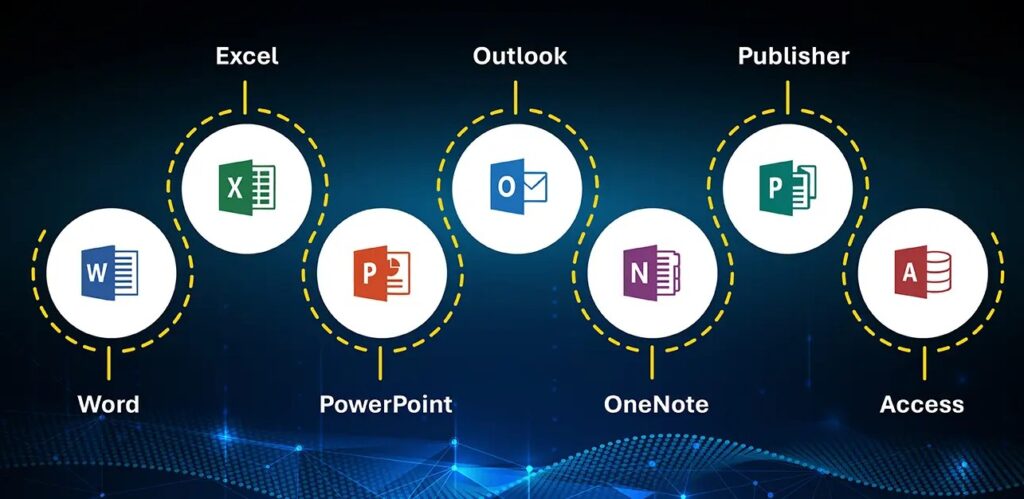
Unlike previous versions, the 2026 update ensures Copilot is no longer siloed. It now offers cross-app intelligence, allowing it to pull context from a Teams meeting to draft a proposal in Word, or analyze an Excel dataset to create a summary for an Outlook email.
- Excel Data Insights: Copilot can now perform complex predictive modeling and trend analysis using simple natural language queries.
- Teams Meeting Summaries: High-fidelity “Action Item” extraction that identifies who promised what, by when, without manual note-taking.
- Drafting in Word & Outlook: Intelligent “Co-Authoring” where the AI suggests improvements in tone, clarity, and even brand-specific vocabulary.
The 1,100+ Feature Wave
Following a massive expansion in 2025 where over 1,100 features were added, 2026 brings “Agent Mode.” This allows users to create autonomous AI agents that can handle repetitive tasks like invoice processing or schedule management without constant prompting.
Enhanced Security with Microsoft Defender
Cybersecurity threats have become more sophisticated, and Microsoft’s response in 2026 is a “Defender-first” strategy. The goal is to move beyond simple detection to automated remediation.
Real-Time Threat Intelligence
The 2026 version of Microsoft Defender leverages global signals from billions of endpoints to identify zero-day threats before they reach your inbox.
- Automated Incident Response: When a threat is detected, Defender can now automatically isolate compromised devices or revoke access to suspicious accounts, significantly reducing “dwell time” for hackers.
- Improved Phishing Detection: New AI models specifically target “Business Email Compromise” (BEC) and look-alike domain attacks, which remain the #1 entry point for ransomware.
- Sentinel Integration: For larger enterprises, the seamless handshake between Defender and Microsoft Sentinel allows for a unified “Single Pane of Glass” view of the entire security posture.
Intune & Endpoint Management Upgrades
With the hybrid work model firmly established, managing a fleet of diverse devices (Windows, macOS, iOS, Android) has become a logistical hurdle. The 2026 updates to Microsoft Intune aim to simplify this complexity through AI.
Zero-Trust Policies
Microsoft has doubled down on the Zero-Trust model: Never trust, always verify.
- Conditional Access: Devices are now checked for “health” (latest updates, encryption on, etc.) every time they attempt to access corporate data, not just at login.
- AI-Powered Compliance: Intune now uses predictive analytics to identify devices that are likely to fail or become non-compliant before the issue actually occurs.
Simplified Cross-Platform Management
Managing a MacBook is now as intuitive as managing a Windows PC. The unified dashboard in Intune has been streamlined to reduce the IT workload, allowing administrators to push security patches and software updates across different operating systems with a single click.
Exchange Online Improvements: Smarter Communication
Email remains the primary communication tool for business, and in 2026, Exchange Online is getting its most significant “intelligence” boost in a decade.
Smarter Categorization and Archiving
The inbox is no longer just a list of messages; it’s a prioritized workspace.
- AI-Driven Sorting: Exchange now understands the importance of an email based on your past interactions, moving “FYI” threads to the background and surfacing urgent client requests.
- Dynamic Archiving: To help compliance-heavy industries (like finance and healthcare), new retention policies automatically tag and archive sensitive data according to legal requirements.
- Next-Gen Spam Filtering: By integrating with the broader Defender network, Exchange Online now blocks 99.9% of malware before it ever reaches the user’s “Junk” folder.
Global Pricing Update (Effective July 1, 2026)
Perhaps the most talked-about update is the adjustment in subscription costs. Effective July 1, 2026, Microsoft will implement a global price increase across most Microsoft 365 tiers.
Why the Price Hike?
Microsoft justifies this adjustment—the first major one in years—as a reflection of the massive investments made in AI (Copilot) and Security (Defender/Intune). Users are now getting enterprise-grade tools in standard packages that previously required expensive third-party software.
What Businesses Need to Do:
- Budget Review: If your renewal falls after July 1, 2026, expect a 5-15% increase depending on your specific plan.
- License Audit: Now is the time to remove unused licenses or “ghost accounts” to offset the rising costs.
- Standard vs. Premium: Evaluate if your team actually needs the “E5” level features or if the enhanced “Business Premium” features are sufficient.
⚠️ Key Considerations & Risks for 2026
While these updates bring incredible power, they also introduce new challenges that organizations must address:
- Cost Impact: Small and Medium Businesses (SMBs) will feel the pinch of the July pricing update. It is vital to forecast these expenses now to avoid a mid-year budget crisis.
- AI Adoption & Governance: Simply giving everyone Copilot isn’t enough. Without proper training and data governance, AI can inadvertently leak sensitive internal information if permissions aren’t strictly managed.
- Security Compliance: As Defender and Intune evolve, your internal IT policies must evolve with them. Relying on “set it and forget it” security is no longer viable in 2026.
Final Thoughts from ITinsite.in
The Microsoft 365 updates for 2026 represent a shift toward a more intelligent, secure, and integrated workplace. While the pricing update may be a hurdle, the value added through AI and advanced security tools far outweighs the cost for most growth-oriented businesses.
At ITinsite.in, we recommend starting your “2026 Readiness Audit” today. Review your security settings, train your team on Copilot, and ensure your endpoint management is optimized.
Would you like me to create a customized “Microsoft 365 Transition Checklist” for your specific business size?